Article Overview

Is it cheating to use a projector for art?What is Turbo Mode?Full-Auto vs Semi-AutoWhich Controllers Have Turbo Mode?How to Enable Turbo ModeWhen to Use Turbo ModeFinal ThoughtsStep 7: Go for it!

World Cup 

Ends at July 18

PJ08 + TS02.png__PID:e170e548-2e7d-46ec-9afd-d9354a64b28b

Nova Mini Bundle with Free Gimbal Stand

Smart Google TV Laser Projector

$649.99 $979.99

Learn More
Learn More

Prime Day Special

Ends at July 18

4-PJ92 MKII(1).jpg__PID:7e859568-58f8-479c-84f2-92419a160715

Nova Mini

Smart Google TV Laser Projector

$499.99 $899.99

Learn More
How to Use Turbo Mode on Nintendo Switch Controllers

How to Use Turbo Mode on Nintendo Switch Controllers

Rachelle Hanna | August 31 2026

When you’re gaming, timing, speed, precision, and accuracy are just a few vital components needed for a smooth, seamless experience.

But as time passes and the stakes get higher, these components may become more difficult to maintain due to the strain on your hands and wrists from repetitive motion and constant button spamming. What’s more, these elements can make the added pressure of navigating your environment, mastering every combo, and staying on high alert even more daunting.

Luckily, we have a solution: Turbo Mode!

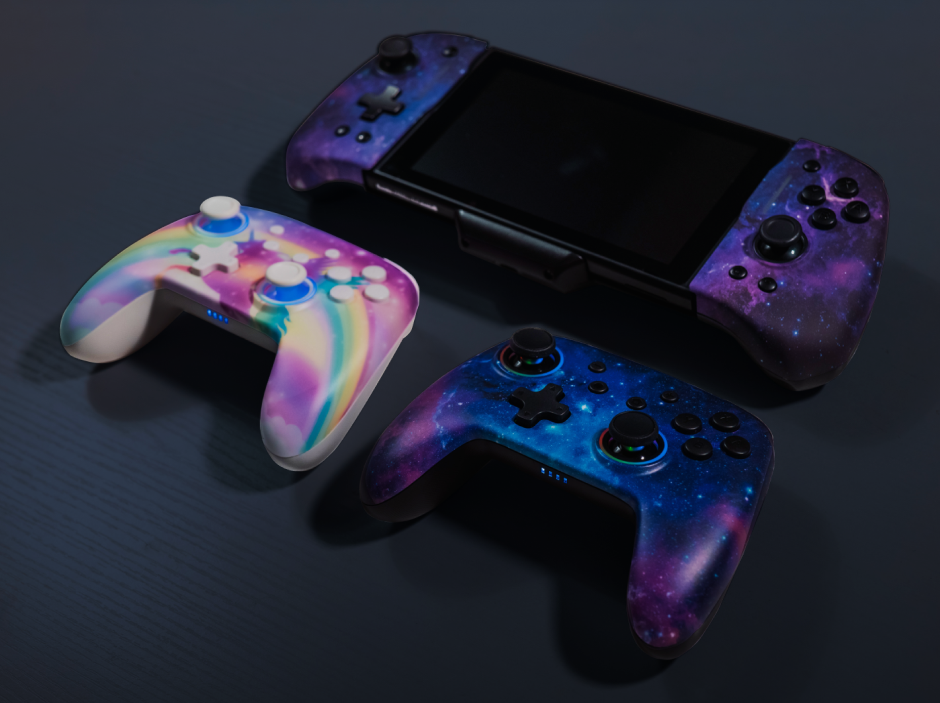
In this article, in addition to explaining how to activate Turbo Mode, we'll also explain what Turbo Mode is, which controllers include this feature, the difference between Semi-Auto and Full-Auto Mode, and when we recommend using this feature.

Let’s dive in!

What is Turbo Mode?

Turbo Mode is a feature that automatically programs a button to repeat the same action over and over again. It’s included in many of our Switch controllers.

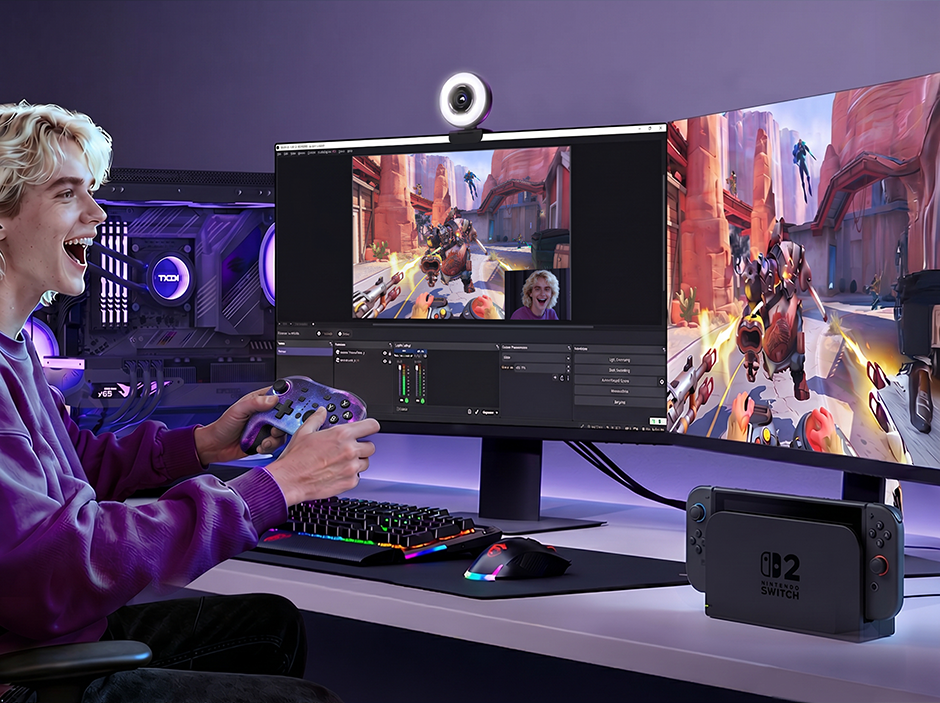
By assigning your controller the responsibility of spamming a button, you can focus your attention on other important aspects of your game while reducing muscle fatigue and other tedious game elements.

Semi-Auto vs Full-Auto: What’s the Difference?

There are two types of Turbo Mode: Semi-Auto and Full-Auto.

Semi-Auto

When your Switch controller is set to Semi-Auto, this means that a button will continue performing its programmed action while you are long-pressing it.

For example, imagine playing Galaga, a classic arcade shooter game. That game requires you to constantly smash the fire button while dodging incoming attacks from enemies. When Semi-Auto is activated, you can simply hold the fire button down, rather than repeatedly spam it, to shoot missiles.

Full-Auto

When your Switch controller is set to Full-Auto, this means that a button will continue performing its programmed action even if you aren’t holding the button down.

Going back to Galaga, when Full-Auto is activated, you will continue shooting missiles at incoming enemies even when you’re not holding the fire button down.

Which Controllers Feature Turbo Mode?

ControllerTurbo ModesTurbo SpeedsSwitch CompatibilityBest For
NexiGo NS32Semi-Auto, Full-AutoN/ASwitch 1/2/Lite/OLEDMultiplayer gaming, casual gaming
NexiGo NS53 JoypadSemi-Auto, Full-Auto5 times/sec, 12 times/sec, 20 times/secSwitch 1/OLEDMultiplayer gaming, single-player gaming, competitive gaming
NexiGo Gripcon (Gen 2) Semi-Auto, Full-Auto5 times/sec, 12 times/sec, 20 times/secSwitch 1/OLEDSingle-player gaming, competitive gaming
NexiGo Gripcon (Gen 3) Semi-Auto, Full-Auto12 times/sec, 20 times/secSwitch 1/OLEDSingle-player gaming, Competitive gaming, Docking to HDMI
NexiGo Gripcon for Switch 2Semi-Auto, Full-Auto5 times/sec, 12 times/sec, 20 times/secSwitch 2Single-player gaming, competitive gaming, Docking to HDMI
NexiGo NS32 for Switch 2Semi-Auto, Full-Auto5 times/sec, 12 times/sec, 20 times/secSwitch 1/2/Lite/OLEDMultiplayer gaming, casual gaming

Shop Turbo Mode Controllers

This is a product image of the NS32 Gen 2 Controller on a white background.
NS32 controller with backlit faceplate on a rock background.
Bluetooth Controller with 2 rear programmable back buttons.
NexiGo wireless controller tilted with an FPS game background.
NexiGo wireless controller dual vibration motors and 6-axis gyro.
Rear view of Bluetooth controller with charging cable inserting.
Hand holding Hall Effect controller with comfortable textured grips.
No Deadzone controller, Average Accurate Range of NexiGo Joysticks is 0%-0.1%
Bluetooth wireless connection steps for this wireless controller.
NexiGo NS32 Controller (No Deadzone) for Switch 2/Switch/OLED
This is a product image of the NS32 Gen 2 Controller on a white background.
NS32 controller with backlit faceplate on a rock background.
Bluetooth Controller with 2 rear programmable back buttons.
NexiGo wireless controller tilted with an FPS game background.
NexiGo wireless controller dual vibration motors and 6-axis gyro.
Rear view of Bluetooth controller with charging cable inserting.
Hand holding Hall Effect controller with comfortable textured grips.
No Deadzone controller, Average Accurate Range of NexiGo Joysticks is 0%-0.1%
Bluetooth wireless connection steps for this wireless controller.
NexiGo NS32 Controller (No Deadzone) for Switch 2/Switch/OLED

NexiGo NS32 Controller (No Deadzone) for Switch 2/Switch/OLED

$31.99
This is a white background image of the Switch 2 Gripcon.
The joystick is shown in an exploded view, revealing the magnets inside the Hall-effect thumbstick.
A person sitting on a chair playing Switch 2 games with the Gripcon.
Customizable joystick lighting with 8 lighting options, 2 breathing modes, and adjustable brightness.
This is an image showcasing auto turbo, vibration, and six-axis motion control.
All replicable buttons on the back of the product are displayed.
Place the Gripcon and console on the table using the built-in stand.
Detailed Instructions for Enabling Wired Connection on the Switch 2
This is a Gripcon sensitivity demonstration image.
NexiGo Gripcon Controller with HDMI & RGB Indicators for Switch 2
This is a white background image of the Switch 2 Gripcon.
The joystick is shown in an exploded view, revealing the magnets inside the Hall-effect thumbstick.
A person sitting on a chair playing Switch 2 games with the Gripcon.
Customizable joystick lighting with 8 lighting options, 2 breathing modes, and adjustable brightness.
This is an image showcasing auto turbo, vibration, and six-axis motion control.
All replicable buttons on the back of the product are displayed.
Place the Gripcon and console on the table using the built-in stand.
Detailed Instructions for Enabling Wired Connection on the Switch 2
This is a Gripcon sensitivity demonstration image.
NexiGo Gripcon Controller with HDMI & RGB Indicators for Switch 2

NexiGo Gripcon Controller with HDMI & RGB Indicators for Switch 2

$47.99
The image showcases a cool cosmic nebula skin on the Bluetooth controller.
Customizable RGB ring light on the controller, with 7 colors and 3 lighting modes.
The model in the image achieves precise motion control by shaking the controller.
hall effect sensing joysticks
Our wireless controller features dual motors and four adjustable vibration levels.
Perspective view of controller's backside highlighting energy-efficient design for extended usage.
Provides guidelines for connecting via Bluetooth.
Provides guidelines for connecting via wired connection.
Model achieves precise motion control by shaking the controller in the image.
The image showcases the Arctic Chiller skin on the Bluetooth controller.
The image showcases a blue astronaut skin on the Bluetooth controller.
The image showcases a vibrant skin on the Bluetooth controller.
The image displays a Bluetooth controller with a pink unicorn skin
The image showcases a Violet Unicorn skin on the Bluetooth controller.
The image showcases a cool and stylish skin on the Bluetooth controller.
Shows off the pink bear's skin on the Bluetooth controller
The image showcases a pink unicorn skin on the Bluetooth controller.
NexiGo NS32 (No Deadzone) Wireless Controller for Switch/Switch Lite/Switch OLED consumerelectronics - NexiGo
The image showcases a cool cosmic nebula skin on the Bluetooth controller.
Customizable RGB ring light on the controller, with 7 colors and 3 lighting modes.
The model in the image achieves precise motion control by shaking the controller.
hall effect sensing joysticks
Our wireless controller features dual motors and four adjustable vibration levels.
Perspective view of controller's backside highlighting energy-efficient design for extended usage.
Provides guidelines for connecting via Bluetooth.
Provides guidelines for connecting via wired connection.
Model achieves precise motion control by shaking the controller in the image.
NexiGo NS32 (No Deadzone) Wireless Controller for Switch/Switch Lite/Switch OLED
The image showcases the Arctic Chiller skin on the Bluetooth controller.
The image showcases a blue astronaut skin on the Bluetooth controller.
The image showcases a vibrant skin on the Bluetooth controller.
The image displays a Bluetooth controller with a pink unicorn skin
The image showcases a Violet Unicorn skin on the Bluetooth controller.
The image showcases a cool and stylish skin on the Bluetooth controller.
Shows off the pink bear's skin on the Bluetooth controller
The image showcases a pink unicorn skin on the Bluetooth controller.
NexiGo NS32 (No Deadzone) Wireless Controller for Switch/Switch Lite/Switch OLED consumerelectronics - NexiGo

NexiGo NS32 (No Deadzone) Wireless Controller for Switch/Switch Lite/Switch OLED

$39.99
Joypad Controllers with Vibration, Turbo, Mapping and LED Light (Cosmic Nebula)
Joypad Controllers with Vibration, Turbo, Mapping and LED Light (AstroMan)
Joypad Controllers with Vibration, Turbo, Mapping and LED Light (Classic)
Joypad Controllers with Vibration, Turbo, Mapping and LED Light (Green & Blue)
2 joystick areas on the controller can be set with 9 RGB lighting effects.
The controller's ergonomic design fits the hand comfortably for long-lasting grip.
Quick Connection: Press the Home and Screenshot Button.
Easily wake up with one press, press the Home button to wake up the Switch.
The controller features 6-Axis Gyroscope Sensors for precise motion control in games.
Each Joy-Con has a 500mAh battery, providing 5-6 hours of playtime, fully charged in 2.5 hours.
Joypad Controllers with Vibration, Turbo, Mapping and LED Light
NexiGo Wireless Dual Joypad Controller with Thumbstick LED for Nintendo Switch consumerelectronics - NexiGo
Joypad Controllers with Vibration, Turbo, Mapping and LED Light (Cosmic Nebula)
Joypad Controllers with Vibration, Turbo, Mapping and LED Light (AstroMan)
Joypad Controllers with Vibration, Turbo, Mapping and LED Light (Classic)
Joypad Controllers with Vibration, Turbo, Mapping and LED Light (Green & Blue)
2 joystick areas on the controller can be set with 9 RGB lighting effects.
The controller's ergonomic design fits the hand comfortably for long-lasting grip.
Quick Connection: Press the Home and Screenshot Button.
Easily wake up with one press, press the Home button to wake up the Switch.
The controller features 6-Axis Gyroscope Sensors for precise motion control in games.
Each Joy-Con has a 500mAh battery, providing 5-6 hours of playtime, fully charged in 2.5 hours.
NexiGo Wireless Dual Joypad Controller with Thumbstick LED for Nintendo Switch
Joypad Controllers with Vibration, Turbo, Mapping and LED Light
NexiGo Wireless Dual Joypad Controller with Thumbstick LED for Nintendo Switch consumerelectronics - NexiGo

NexiGo Wireless Dual Joypad Controller with Thumbstick LED for Nintendo Switch

$59.99
NexiGo Gripcon, designed for Nintendo Switch, with 6-Axis Gyro, Back Button Mapping (Black)
NexiGo Gripcon, designed for Nintendo Switch, with 6-Axis Gyro, Back Button Mapping (BLU-RED)
NexiGo Gripcon, designed for Nintendo Switch, with 6-Axis Gyro, Back Button Mapping (GRN-BLU)
hall effect thumbsticks
high precision gaming
Six-Axis Gyroscope
immersive vibration
featuring mapping buttom
Interchangeable Thumbsticks
instruction setup
compatible with Switch/Switch OLED
NexiGo Gripcon, Ergonomic Controller for Nintendo Switch Handheld Mode consumerelectronics - NexiGo
NexiGo Gripcon, designed for Nintendo Switch, with 6-Axis Gyro, Back Button Mapping (Black)
NexiGo Gripcon, designed for Nintendo Switch, with 6-Axis Gyro, Back Button Mapping (BLU-RED)
NexiGo Gripcon, designed for Nintendo Switch, with 6-Axis Gyro, Back Button Mapping (GRN-BLU)
hall effect thumbsticks
high precision gaming
Six-Axis Gyroscope
immersive vibration
featuring mapping buttom
Interchangeable Thumbsticks
instruction setup
compatible with Switch/Switch OLED
NexiGo Gripcon (Gen 1) Ergonomic Controller for Nintendo Switch Handheld Mode
NexiGo Gripcon, Ergonomic Controller for Nintendo Switch Handheld Mode consumerelectronics - NexiGo

NexiGo Gripcon (Gen 1) Ergonomic Controller for Nintendo Switch Handheld Mode

$41.99
NexiGo Switch Controller for Handheld Mode (Black)
NexiGo Switch Controller for Handheld Mode with Replacement Keycap (Classic)
NexiGo Switch Controller for Handheld Mode with Replacement Keycap (Green&Blue)
The controller features a high-precision rocker with a textured surface to prevent slippage.
Switch controller with Six-Axis Gyroscope for accurate and responsive control
NexiGo Switch Controller for Handheld Mode with Replacement Keycap (Red&Blue)
Gripcon controller with Six-Axis Gyroscope for precise motion and direction control
The controller features a high-precision rocker with a textured surface to prevent slippage.
Product Introduction every details functionality, such as Type-C Interface, Screenshot Button, etc
The product includes three types of replaceable joystick caps, offering diverse gaming experiences
The handheld mode controller's ergonomic design fits the hand comfortably for long-lasting grip.
NexiGo Switch Controller for Handheld Mode with Replacement Keycap (Green&Blue)
Product Introduction every details functionality, such as Type-C Interface, Screenshot Button, etc
Detail showcase of the controller, such as Scratch Resistant Design and Esports Quality Joystick
NexiGo Switch Controller for Handheld Mode (Black)
NexiGo Switch Controller for Handheld Mode with Replacement Keycap (Classic)
NexiGo Switch Controller for Handheld Mode with Replacement Keycap (Green&Blue)
The controller features a high-precision rocker with a textured surface to prevent slippage.
Switch controller with Six-Axis Gyroscope for accurate and responsive control
NexiGo Switch Controller for Handheld Mode with Replacement Keycap (Red&Blue)
Gripcon controller with Six-Axis Gyroscope for precise motion and direction control
The controller features a high-precision rocker with a textured surface to prevent slippage.
Product Introduction every details functionality, such as Type-C Interface, Screenshot Button, etc
The product includes three types of replaceable joystick caps, offering diverse gaming experiences
The handheld mode controller's ergonomic design fits the hand comfortably for long-lasting grip.
NexiGo Switch Controller for Handheld Mode with Replacement Keycap (Green&Blue)
Product Introduction every details functionality, such as Type-C Interface, Screenshot Button, etc
Detail showcase of the controller, such as Scratch Resistant Design and Esports Quality Joystick
NexiGo Ergonomic Controller for Nintendo Switch Handheld Mode (Not for OLED)

NexiGo Ergonomic Controller for Nintendo Switch Handheld Mode (Not for OLED)

$44.99
NexiGo Gripcon (Gen 2), Enhanced Switch/Switch OLED Controller for Handheld Mode (Cosmic Nebula)
The image showcases the transparent skin and RGB lighting effects of the Bluetooth controller
The image exhibits the white cracked skin and RGB lighting effects of the Bluetooth controller
The image displays the black cracked skin and RGB lighting effects of the Bluetooth controller
The image showcases the white skin and RGB lighting effects of the Bluetooth controller
Gripcon controller with customizable RGB lighting: Breathing, Cycling, Brightness.
NexiGo Gripcon (Gen 2) with Back Buttons and RGB Lights videogamesaccessories - NexiGo
Responsive joystick and buttons: No drift, no stuck. Enjoy precise control in your games.
Gripcon controller features 2 Rear Mapping Buttons for customizable settings.
The Gripcon controller features Turbo Function with three speed settings for faster reaction times.
Gripcon controller with Dual Motor Haptics for immersive vibrations (0-100% intensity)
Gripcon controller with Six-Axis Gyroscope for precise motion and direction control
Gripcon controller features a USB port at the bottom, allowing for charging while playing.
Gripcon controller is compatible with both Switch and Switch OLED versions.
NexiGo Gripcon (Gen 2) with Back Buttons and RGB Lights videogamesaccessories - NexiGo
NexiGo Gripcon (Gen 2), Enhanced Switch/Switch OLED Controller for Handheld Mode (Cosmic Nebula)
The image showcases the transparent skin and RGB lighting effects of the Bluetooth controller
The image exhibits the white cracked skin and RGB lighting effects of the Bluetooth controller
The image displays the black cracked skin and RGB lighting effects of the Bluetooth controller
The image showcases the white skin and RGB lighting effects of the Bluetooth controller
Gripcon controller with customizable RGB lighting: Breathing, Cycling, Brightness.
NexiGo Gripcon (Gen 2) with Back Buttons and RGB Lights videogamesaccessories - NexiGo
Responsive joystick and buttons: No drift, no stuck. Enjoy precise control in your games.
Gripcon controller features 2 Rear Mapping Buttons for customizable settings.
The Gripcon controller features Turbo Function with three speed settings for faster reaction times.
Gripcon controller with Dual Motor Haptics for immersive vibrations (0-100% intensity)
Gripcon controller with Six-Axis Gyroscope for precise motion and direction control
Gripcon controller features a USB port at the bottom, allowing for charging while playing.
Gripcon controller is compatible with both Switch and Switch OLED versions.
This is the product promotional video for the NexiGo Bluetooth Gripon
NexiGo Gripcon (Gen 2) with Back Buttons and RGB Lights videogamesaccessories - NexiGo

NexiGo Gripcon (Gen 2) with Back Buttons and RGB Lights

$59.99
Black Switch GripCon controller with integrated HDMI port.
Blue Switch GripCon controller with built-in HDMI port.
Purple Switch GripCon controller with built-in HDMI port.
Detail showcasing the form of the 2163 Hall sensor joystick.
Two people playing games on TV using Switch grips.
NexiGo Hall Effect Gripcon (No Drift, No Deadzone) with HDMI & Kickstand for Nintendo Switch/Switch OLED videogamesaccessories - NexiGo
The 2163 controller features turbo function, enhancing gaming experience significantly.
The controller includes a kickstand and a game card slot.
One person gaming and charging simultaneously.
The 2163 Switch GripCon controller with Hall sensor joystick has no dead zones.
NexiGo Hall Effect Gripcon with Dock & Kickstand for Nintendo Switch videogamesaccessories - NexiGo
Black Switch GripCon controller with integrated HDMI port.
Blue Switch GripCon controller with built-in HDMI port.
Purple Switch GripCon controller with built-in HDMI port.
Detail showcasing the form of the 2163 Hall sensor joystick.
Two people playing games on TV using Switch grips.
NexiGo Hall Effect Gripcon (No Drift, No Deadzone) with HDMI & Kickstand for Nintendo Switch/Switch OLED videogamesaccessories - NexiGo
The 2163 controller features turbo function, enhancing gaming experience significantly.
The controller includes a kickstand and a game card slot.
One person gaming and charging simultaneously.
The 2163 Switch GripCon controller with Hall sensor joystick has no dead zones.
NexiGo Gripcon (Gen 3) Controller with HDMI & Kickstand for Switch
NexiGo Hall Effect Gripcon with Dock & Kickstand for Nintendo Switch videogamesaccessories - NexiGo

NexiGo Gripcon (Gen 3) Controller with HDMI & Kickstand for Switch

$64.99

How Do You Enable Semi-Auto and Full-Auto Turbo Modes?

Here is a step-by-step guide to activating and deactivating Semi-Auto and Full-Auto, along with other features.

Semi-Auto

Step 1: Hold down the turbo button. Refer to the images below to find the location of the turbo button on your controller.

ns32-turbo-button 1.png__PID:16dfe8de-9d7a-4bba-9aca-35615651ef5e

NexiGo NS32 for Switch 1

Button (3) 1.png__PID:5c16dfe8-de9d-4a5b-bada-ca35615651ef

NexiGo NS32 for Switch 2

ns53-joypad-turbo-button 1.png__PID:dfe8de9d-7a5b-4ada-8a35-615651ef5e7b

NexiGo NS53 Joypads

gripcon-turbo-button 1.png__PID:e7234548-f8b2-4eba-a484-a57abd0eef5a

NexiGo Gripcon Gen 2

gripcon-switch-2-turbo-button 1.png__PID:d0e72345-48f8-425e-baa4-84a57abd0eef

NexiGo Gripcon for Switch 2

gripcon-gen-3-turbo-button 1.png__PID:b5d0e723-4548-48b2-9eba-a484a57abd0e

NexiGo Gripcon Gen 3

Step 2: While holding the turbo button, press the button you want to pair with Turbo Mode.

Note: For the NexiGo NS53 Joypad, hold down the turbo button located on the same side as the button you wish to automate. For example, if you want to automate A, hold down the turbo button located behind A. If you’re automating ZL, hold down the turbo button located behind ZL.

Step 3: Hold down the button you’ve automated, and the controller will spam it for you!

Full-Auto

Once your controller is set to Semi-Auto, here’s how you can activate Full-Auto:

Step 1: Hold down the Turbo button again.

Step 2: Press the button you automated while holding down the turbo button.

Step 3: Keep playing! You no longer need to hold the button down. The controller will spam the turbo-activated button automatically until you deactivate it.

Adjusting Turbo Speed

Once Turbo Mode is enabled, you can control the speed at which the button is activated. To do so:

Step 1: Hold down the turbo button.

Step 2: While holding the turbo button, press the + button to increase the speed and the - button to decrease the speed. There are three speed settings: 5 shots/sec (available on select models), 12 shots/sec, and 20 shots/sec, with the default being 12 shots/sec.

Deactivating Turbo Mode

While holding down the turbo button, press the automated button twice if you are in Semi-Auto or once if you are in Full-Auto.

Should I Use Turbo Mode on Nintendo Switch?

For Switch games that require constant, repetitive button smashing, we recommend using your choice of Semi-Auto and Full-Auto.

When You Have Unlimited Ammo

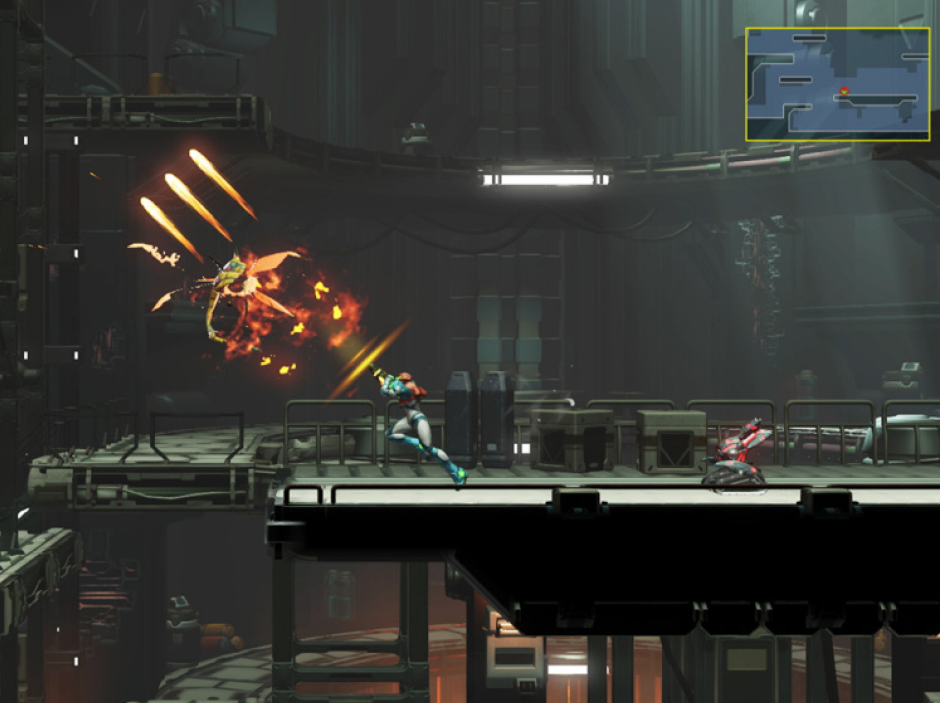
Both Semi-Auto and Full-Auto pair especially well with shooter or action games that include unlimited ammo and no consequences for missing your target. Snow Bros, Metroid: Fusion, Doom, Star Fox, and Borderlands are good examples.

When You Have Limited Ammo

Semi-Auto may be a better option for shooter games like Enter the Gungeon that have limited ammo, as it will allow you to conserve your resources and pause shooting to reload.

enter-the-gungeon.webp__PID:e5f48abd-61e0-4acc-9eb8-54f3a8d30c16

A still from Enter the Gungeon. We recommend using Semi-Auto Turbo Mode for this game so you can conserve your ammo and other resources.

For Online Tournaments

For games like Mario Kart, Super Smash Bros., and Mario Party, Semi-Auto can give you a competitive edge in situations requiring button spamming during online tournaments and parties at home. This can include Mario Party minigames or when you have a golden mushroom in Mario Kart. Just make sure to check the tournament rules first to see if Turbo Mode is allowed!

For Skipping Cutscenes

If you’re bored with long, nonessential cutscenes, you can use Semi-Auto for games like Pokémon Scarlet and Pokémon: Violet to quickly speed through these moments and jump right into the gameplay.

When Not to Use Semi-Auto or Full-Auto Mode

We do not recommend this feature for games that require complex button combinations, as well as games that don’t include repetitive gameplay. For example, for games like Street Fighter and The Legend of Zelda, Turbo Mode may disrupt gameplay and worsen your performance.

street-fighter.jpg__PID:4a77e9ab-56e0-45ed-8dd2-614326d79aa1

A still from Street Fighter 6 on the Switch 2. We do not recommend using Turbo Mode for this game because of the complex button combinations that it requires.

Final Words

It goes without saying that your hands and wrists are your most important tools for gaming, so it’s vital they’re taken care of. Turbo Mode can help reduce muscle strain by spamming buttons for you, allowing you to focus on your game without the stress of overworking your fingers.

Turbo Mode can also help increase efficiency by making certain repetitive game elements less tedious, speeding up gameplay, and ensuring an experience that’s thrilling, immersive, and rewarding overall.

Like what we do? Stay tuned for more.

Whether you work at home or in the office, NexiGo provides a wide range of quality and affordable technology to elevate your daily life. Our products encompass everything from webcams and portable monitors to projectors and gaming accessories.

Sunday,Monday,Tuesday,Wednesday,Thursday,Friday,Saturday
January,February,March,April,May,June,July,August,September,October,November,December
Not enough items available. Only [max] left.
Add to WishlistBrowse WishlistRemove Wishlist
Shopping cart

Your cart is empty.

Return To Shop

Add Order Note Edit Order Note
Estimate Shipping
Add A Coupon

Estimate Shipping

Add A Coupon

Coupon code will work on checkout page


My Wishlist

Loding your saved items

Don't lose your wishlist!

My Wishlist

Loding your saved items

Don't lose your wishlist!