Article Overview
What’s the difference between PDAF and CDAF in webcams?Other types of autofocus (a glossary)What are the common problems with autofocus?Best Autofocus Webcam for StreamersBest Autofocus Webcam for Zoom Calls (Windows)Best Autofocus Webcam for Zoom Calls (Mac)Frequently Asked Questions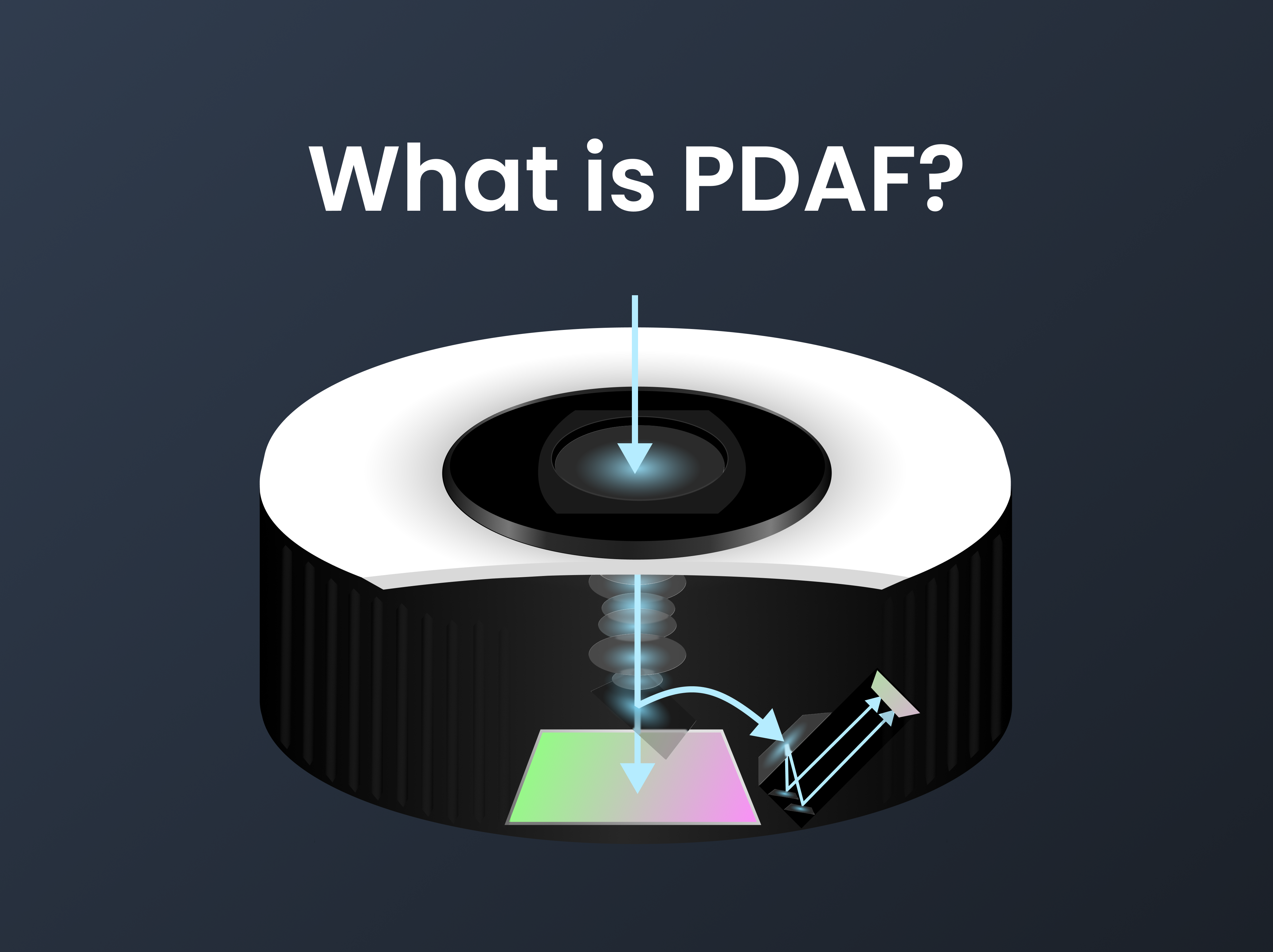
All about PDAF: The newest webcam autofocus technology
Amber Stefanson | July 2, 2026
What makes the latest generation of webcams different? Over the past 10 years, we’ve seen dramatic improvements in camera quality in phones, drones, and security devices like doorbells and dashcams. The iPhone 7 you bought in 2016 had one 12 MP camera, while the iPhone 17 Pro you bought in 2026 has not just one but THREE 48 MP cameras. However, webcams have remained largely unchanged, apart from two major leaps forward.
In 2022, we saw the first DSLR-like sensor in a webcam.
In 2026, we’ve seen the introduction of a new focusing technology: PDAF (Phase Detection Autofocus).
For decades, PDAF has only been available in high-end SLRs (and more recently, phone cameras). Now, you can also find PDAF in a small handful of premium webcams. This sophisticated autofocus tackles a lot of the common issues with traditional autofocus: “autofocus bounce” or “autofocus hunting”, slow focusing speeds, and poor ability to track moving subjects.
But let’s back up — what is PDAF and how does it work? Why is it better than other focusing technologies (like CDAF and LiDAR)? And, most importantly, what can PDAF do for you to improve your camera quality and workflow?
In this article, I’ll cover all everything you need to know about PDAF, how it works, and how it benefits you, with tips for remote workers, streamers, and content creators. I’ll also recommend some of the best PDAF webcams available right now on the market. Feel free to jump ahead to the section you need.
Key Points
- Webcam hardware has largely stagnated compared to phone cameras, aside from two leaps: DSLR-quality sensors (2022) and now PDAF (2026).
- PDAF (Phase Detection Autofocus) is a faster, hardware-level autofocus system that splits incoming light between the image sensor and a dedicated AF array, comparing two versions of the same image to instantly calculate focus direction and distance.
- CDAF (Contrast Detection Autofocus) is the older, more common, software-based method that "hunts" for focus by maximizing contrast — accurate but slower, and prone to visible "focus bounce."
- LiDAR is a third autofocus system, using laser distance-mapping for fast focus even in total darkness.
- Autofocus is also defined by type (active vs. passive) and mode (single-shot vs. continuous), independent of which system (CDAF/PDAF/LiDAR) is used.
- PDAF's main advantages are speed and reliability tracking moving subjects — ideal for streamers and video callers who move around — but it costs more and is harder to engineer than CDAF.
- The article recommends specific NexiGo webcams for three use cases: streaming and content creation, Windows-based video calls, and Mac-based video calls.
What’s the difference between PDAF and CDAF in webcams?
Slow but accurate and cost-effective, CDAF (Contrast Detection Autofocus) has been the most popular autofocus type for years. Most webcams with autofocus use CDAF. The newer PDAF (Phase Detection Autofocus) is much faster, which is its biggest advantage. The average time taken to focus an image goes from ~2 seconds with CDAF to a mere 0.1 seconds with PDAF.
With high speed and accuracy also comes increased cost and complexity. CDAF is easy and affordable because it can be added on at the software level, while PDAF is engineered into the camera sensor itself.
PDAF vs CDAF
| Autofocus Type | Speed | Accuracy | Cost |
|---|---|---|---|
| PDAF | Faster | High | Higher |
| CDAF | Slower | Higher | Lower |
How does CDAF work?
CDAF (Contrast Detection Autofocus) is a guess and check system. It judges contrast by maximizing the contrast at a set focal point. It moves the focal range back and forth until it finds the exact focal length where the contrast is highest.
As you can see in the example below, the in-focus image has more contrast between the lighter and darker value.

Out of focus, soft edges, low contrast

In focus, sharp edges, high contrast
This method is very accurate, but it can take a long time. There are a few reasons for its longer focusing time:
- The camera doesn’t know which direction it needs to adjust the focal length to get the image in focus. As a result, it has to adjust the focal length in both directions and check the contrast until it’s ideal.
- The camera doesn’t know that the image is out of focus until it compares the contrast at one focal length with another. In other words, it needs to start adjusting the focus in order to determine that the image is indeed out of focus. This is why autofocus might take extra time to kick in after you move.
- The camera doesn’t know when it has reached peak sharpness until it has overshot a little bit. This is because CDAF works in the same way that you would focus manually. You adjust the focus a little past where it needs to go, then you go back and dial it in with smaller movements.
When the camera goes through this same process, the focal length moves back and forth in a phenomenon known as “autofocus bounce”, which can sometimes last several seconds, especially in low light conditions. - CDAF struggles in low-light conditions, since overall contrast is lower when the lights are off.
How does PDAF work?
PDAF (Phase Detection Autofocus) on the other hand, compares two instances or "phases" of the same image, and uses those to calculate how much the focal length needs to adjust.
It does this at the hardware level. Inside a PDAF camera, there is a special mirror that multiplies the image, simultaneously sending a copy to the image sensor and another copy to the autofocus array.
By duplicating the image, the camera is able to determine if the image is out of focus, by how much, and in which direction it needs to adjust the focal length in order to correct it.
Here's how it works.

In the diagram above, you can see the general path light takes as the webcam focuses:
- Camera lens: the light enters the camera and passes through the lens
- Mirror: the light is duplicated by a mirror, passing through to the sensor below (D) and bouncing off towards the autofocus array (C).
- Autofocus array: the light is duplicated again before reaching the autofocus sensor inside. If these images align, the camera is in focus. If they don't, the camera knows to adjust the focus.
- Image sensor: the light reaches the sensor, where the image is processed and sent to your computer.
Inside the autofocus array, the images reach the autofocus sensor from two separate angles. In the same way that having two eyes gives you depth perception, the camera uses these duplicate images to judge focal length.

Duplicate images are aligned, so the camera knows the image is in focus

Duplicate images are out of alignment, so the camera knows the image is out of focus
If the image is in focus, the duplicate images inside the autofocus array will be aligned. If the image is out of focus, the images will be out of alignment and display a double image.
If it needs to adjust the focus, the camera then uses trigonometry to calculate the exact distance of the focal point from the camera. This tells it exactly how it needs to adjust the focus length to get the image in focus. Without having to hunt for focus, the camera immediately snaps into the correct focal length.
This entire process happens in a fraction of a second. Unlike CDAF, PDAF doesn't have to gather additional information to fix a blurry image; all the information it needs is there from the first capture.
The only downside to PDAF is that it's less accurate than CDAF. However, the more autofocus arrays there are, the more accurate PDAF will be. That's part of why DSLRs with sophisticated PDAF systems come with such a large price tag. Cameras like the $2,199.99 Sony a7R III come with as many as 399 phase detection points.
Other types of autofocus (a glossary)
There are 3 types of autofocus systems. CDAF is the most common in webcams, while PDAF is the most common in high-end cameras. LiDAR is the third type, featured in some phones.
The autofocus system doesn't tell the whole story, however. The way your autofocus works is also determined by autofocus type (active or passive) and autofocus mode (single or continuous).
Autofocus Systems
Autofocus systems refer to the hardware solution your webcam uses to focus. There are 3 autofocus systems:
- CDAF (Contrast Detection Autofocus): CDAF measures the contrast near a focal point, then adjusts focus until the contrast is maximized.
- PDAF (Phase Detection Autofocus): PDAF compares multiple instances of the same image at different focal lengths. It analyzes the difference between each instance, using that information to calculate any needed focus adjustments.
- LiDAR (Light Detection and Ranging): LiDAR uses an invisible laser to bounce off objects and calculate their exact distance from the camera. This information can be used to focus quickly, even in zero lighting.
Autofocus Type
Autofocus type refers to how your camera detects the need to focus, whether it proactively measures distance or reacts to what it captures after the fact. There are 2 autofocus types:
- Active: Active autofocus uses lasers to measure distance and proactively adjust focus. LiDAR is a form of active autofocus
- Passive: Passive autofocus measures input and adjusts focus after the fact. CDAF and PDAF are two types of passive focus.
Autofocus Mode
Autofocus mode refers to how often your camera adjusts focus — whether it corrects once or continuously. There are 2 autofocus modes:
- Single Shot: Focuses the image one time, producing a highly accurate image of static objects. However, moving subjects can be difficult to keep in focus.
- Continous: Focuses the image continously, great for moving subjects. As a downside, focus can be innacurate or track the wrong subject.
Comparison Table
| Comparison | CDAF | PDAF | LiDAR |
|---|---|---|---|
| Speed | Slow | Fast | Fast |
| Accuracy | Highest | High | Medium-High |
| Low-light performance | Poor | Good | Great |
| Cost | Low | High | High |
| Best for | Static shots, video calls, budget setups | Moving subjects, live streaming, luxury setups | Security uses, facial recognition, night vision |
What are the common problems with autofocus?
There are a few common issues you'll find with autofocus: slow focusing time, autofocus bounce, poor tracking, and lighting requirements. With the latest generation of webcams, many of these issues are a thing of the past. However, even with an older CDAF webcam, you can fix most of these issues with the right lighting and setup.
Slow focusing time
Autofocus takes time to correct the image. With advanced autofocus types like PDAF, the correction can take a fraction of a second (0.1 second for NexiGo webcams). But when you’re using slower technologies like CDAF, it can take several seconds.
The fix: use a faster autofocus method like PDAF (fast) or LiDAR (fastest).
Autofocus bounce is distracting
"Autofocus bounce" or "autofocus hunting" is a common issue with CDAF, where the camera has to guess and check as it adjusts the focus. While adjusting, the camera may go in and out of focus before it settles on the right focal length. This can be very distracting, especially when it happens without you having moved or done anything else to trigger autofocus in the first place.
The fix: use a smarter autofocus solution like PDAF.
Poor ability to track subjects
Many autofocus webcams use what is known as single shot focus, where the focus is adjusted once per interval. Because of this, it can sometimes take a while for autofocus to lock onto a subject once they've moved.
The fix: use a webcam with continuous autofocus, active autofocus (rare for webcams), or a faster autofocus method (like PDAF).
Only works in good lighting
Most autofocus methods require a good amount of light in order to focus an image. CDAF requires the most light, since it relies on contrast detection to focus the image and contrast is always lower is the dark. PDAF requires much less, but still needs some lighting.
The fix: use a webcam that requires less (PDAF) or no (LiDAR) light, or turn the lights on (your image will look better with good lighting anyway!)
Best Autofocus Webcam for Streamers
NexiGo N680E Pro 4K Webcam with Ring Light & Sony 1/2.5" Sensor — $99.99
Stop losing focus mid-stream. The NexiGo N680E Pro pairs PDAF with a Sony 1/2.5" sensor, so your camera locks onto you (or anything you hold up to it) in milliseconds instead of the slow, wobbly hunt-and-peck of standard autofocus. Whether you're reacting live, doing an unboxing, or just moving around your setup, this webcam keeps pace with you.
Shoot in crisp 1080p at 60 fps for smooth, professional-grade live streams, or switch to 4K for longform YouTube content that holds up on a big screen. The built-in adjustable ring light gives you full creative control over your lighting, with stepless brightness and three color temperature modes (warm, neutral, cool white), no separate light kit required.
This is the webcam built for people who don't sit still: streamers, reactors, and hands-on content creators who need their camera to keep up with their energy. If you're tired of watching your video blur every time you lean in or grab a product to show off, the N680E Pro's PDAF technology solves that instantly.
Best for: Streamers, YouTubers, and anyone who films hands-on content or moves frequently on camera.
Best Autofocus Webcam for Zoom Calls (Windows)
NexiGo HelloCam Pro with 1080p 60 fps Autofocus with Windows Hello — $89.99
Built for the desk, not the stage. The NexiGo HelloCam Pro is designed for professionals who want sharp, reliable video every time they sit down for a meeting. With CDAF autofocus, you get exceptionally accurate, stable focus that's perfect for mostly-static video calls.
Choose between 4K at 30 fps or 1080p at 60 fps, delivering video quality that outpaces what most platforms even support (Zoom, for example, caps out well below what this camera can capture). Facial auto-exposure automatically balances your lighting, so you always look professionally lit, even in dim or backlit home offices.
The standout feature: Windows Hello certification. Skip typing your password every morning. The HelloCam Pro uses facial recognition to sign you into your PC instantly and securely, hands-free, while keeping unauthorized users locked out.
Best for: Windows users who want dependable, high-accuracy video for meetings (plus a faster, more secure way to log in).
Best Autofocus Webcam for Zoom Calls (Mac)
NexiGo N930E Pro 4K Webcam with Stepless & 3-Mode Adjustable Light — $99.99
Built for Mac users who want their video calls to look as polished as their setup. The N930E Pro connects via USB-C so you can plug directly into your Mac, no dongle or hub required.
Shoot smooth, sharp video at 1080p and 60fps, with a fully adjustable ring light offering stepless brightness and three color modes, so you always look well-lit, even in a dim home office. A built-in privacy cover means you can shut the lens with a simple slide whenever you're off-camera.
Best for: Mac users who want plug-and-play video quality and lighting control for everyday video calls.
Frequently Asked Questions
Whether you work at home or in the office, NexiGo provides a wide range of quality and affordable technology to elevate your daily life. Our products encompass everything from webcams and portable monitors to projectors and gaming accessories.
Articles we think you'll love