
Article Overview
Why Netflix Doesn’t Work?3 Best Ways to Watch NetflixBest NexiGo Projectors for NetflixBest Bedroom Projectors in 2026Common Mistakes to AvoidHow to Set Up Your Bedroom ProjectorFAQButtonPrime Day Special
Ends at July 18

Aurora Pro MKII
Next-Level 4K Tri-Color Laser Projector
$2699 $3499
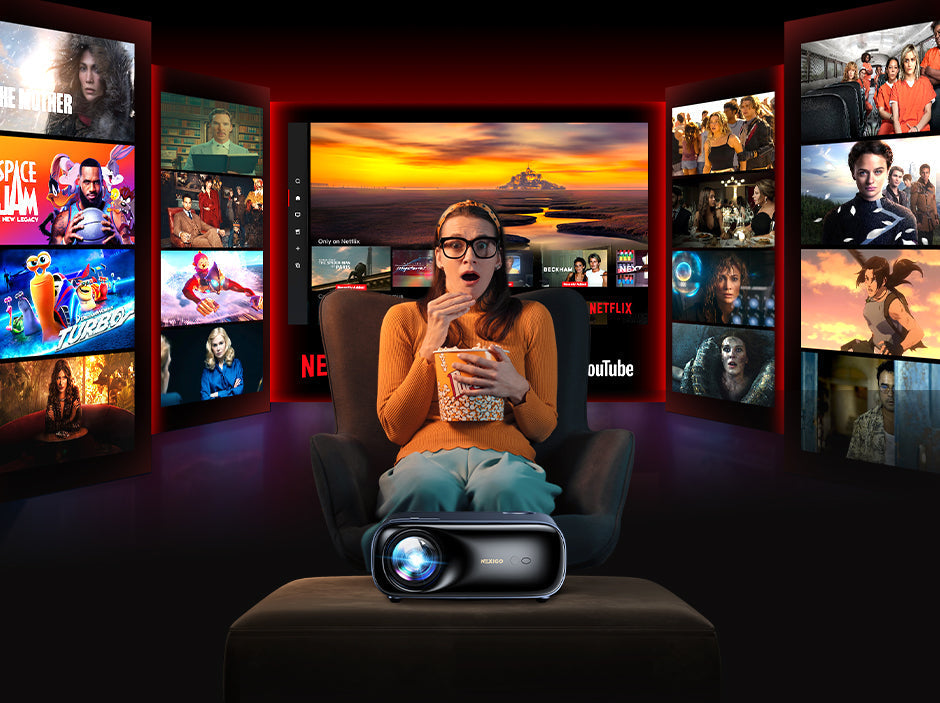
How to Watch Netflix on a Projector (2026 Ultimate Guide)
NexiGo | Apr 28, 2026
Projectors bring a true big-screen experience into your home, but when it comes to Netflix, many users hit a wall.
Black screens. Login errors. Audio with no video.
Here’s the reality:
Most “smart projectors” are NOT actually Netflix-ready.
This guide explains the most frequent reasons Netflix doesn’t work on projectors and provides practical solutions. You’ll also learn the best ways to watch Netflix on a projector in 2026, whether through streaming sticks, HDMI-connected laptops, or certified smart projectors.
Why Netflix Doesn’t Work on Some Projectors
Netflix enforces strict DRM (digital rights management) rules, and many projectors fail to meet these requirements.
1. Not Netflix-Certified (Most Common Issue)
Many projectors (even those running Android-based systems) lack official Netflix certification. In this case, trying to use the Netflix app includes may result in these common issues:
- App won’t open
- Login errors
- Black screen playback
Solution:
- Use external streaming devices (Fire TV Stick, Roku, Chromecast, Apple TV)
- Upgrade to a Netflix-certified projector for seamless playback
2. HDCP Protection Issues
Netflix uses HDCP (High-bandwidth Digital Content Protection) to prevent unauthorized copying. If your projector or HDMI cable doesn’t support HDCP, Netflix won’t play.
- When using HDMI (laptop or streaming stick), Netflix checks HDCP compliance.
- If unsupported, you may get sound but no video, or a full black screen.
Solution:
- Check if your projector supports HDCP. If not, consider upgrading.
- If it does support HDCP, try another HDMI port.
- Use HDCP-compliant HDMI 2.0 or higher cables.
- Avoid low-quality adapters.
3. Casting Restrictions
Netflix limits casting from phones and browsers. Because of this, you may run into issues trying to use the following wireless casting methods:
- Chromecast
- AirPlay
- Screen mirroring
Solution:
- Connect via HDMI to an external device (e.g., laptop, streaming stick, or gaming console)
4. Network & Compatibility Issues
Even with the right hardware, network issues can prevent Netflix from working. These may include:
- Weak Wi-Fi
- Use of VPNs or proxies (these trigger the “Not available in your region” error)
- Outdated projector OS
Solution:
- Ensure stable Wi-Fi (Netflix recommends 5 Mbps for HD, 25 Mbps for 4K).
- Restart your router.
- Use a wired Ethernet connection for maximum stability.
- Disable VPN.
- Update your projector’s firmware (if supported).
- Keep the Netflix app and streaming device software up to date.
3 Best Ways to Watch Netflix on a Projector (2026-Proven Methods)
Use a Netflix-Certified Projector (Best Experience)
The most seamless way is to use a projector with a native, licensed Netflix app pre-installed. This guarantees the "Plug-and-Play" experience with full HD/4K support and no extra cables.

Why it’s best:
- No HDMI or external devices needed
- The native Netflix app runs smoothly
- Supports Full HD / 4K DRM
- Stable playback, no black screens
How to use:
- Open the built-in system
- Launch Netflix
- Log in and start streaming
This is best for users who want a plug-and-play experience.
2. Use a Streaming Stick (Most Compatible)
If your current projector isn't certified, plugging a Fire TV Stick 4K, Roku, or Apple TV 4K into the HDMI port is the best workaround. These devices carry their own Netflix licenses, bypassing any limitations of the projector's internal software.

Supported devices:
- Amazon Fire TV Stick 4K
- Chromecast with Google TV
- Apple TV 4K
- Roku TV
Why it works:
- Bypasses projector OS limitations
- Fully supports DRM & HDCP
- Streams in 4K HDR
How to use:
- Plug the TV stick into the HDMI port
- Power the TV stick
- Switch the projector input to HDMI
- Open Netflix and log in
3. Connect a Laptop via HDMI (Backup Solution)
If you don’t want extra devices, a laptop works as a universal bridge.

How to use:
- Connect the laptop to the projector via HDMI
- Windows: Press Win + P (Windows), choose Extend mode
- Mac: Open Control Center from the menu bar, click Displays > Mirror or Extend
- Open Netflix in the browser or app
Tips:
- Windows: Use Microsoft Edge for the best quality
- Mac: Use Safari for the highest resolution
- Chrome may limit playback quality
This is great for temporary setups, travel, or emergencies.
Best NexiGo Projectors for Netflix in 2026
If your main goal is watching Netflix without hassle, choosing the right projector matters more than finding the right workaround. Choosing the right projector depends on whether you value a streamlined, fast experience or a feature-rich smart ecosystem. Here are our top picks, all featuring Official Netflix Licensing.
Best for Streamlined Setup
NexiGo PJ40 Ultra: Official Netflix App, Zero Friction
If your priority is “just open Netflix and watch”, this is the cleanest experience.
Why it stands out:
- Official Netflix-certified system
- Pre-installed: Netflix, YouTube, Prime Video
- Lightweight OS: faster response & smoother navigation
- No app compatibility issues or sideloading
Performance highlights:
- 800 ANSI Lumens
- AI image enhancement
- 20W immersive audio
Ideal for:
- Netflix-first users
- Families & non-tech users

PJ40 Ultra
Official Netflix App, Zero Friction
- 800 ANSI Lumens
- Native 1080p with AI Picture Enhancement
- Official Netflix-certified system
- Hybrid RGB Max Tri-LED-Laser technology for bright, speckle-free images
- 3000:1 High Contrast Ratio
- 20W immersive audio
- Supports an Impressive 300-inch Display
Best All-in-One Smart Projector
NexiGo PJ40 Pro: Google TV + High Contrast LCD
The PJ40 Pro is built for users who want Netflix + everything else.
Why it stands out:
- Built-in Google TV ecosystem (10,000+ apps)
- Fully supports Netflix and major platforms
- Voice control (Google Assistant)
Performance highlights:
- 800 ANSI Lumens
- Native 3000:1 Contrast Ratio
- 10ms Low latency
- Balanced performance across movies, streaming, and gaming
Ideal for:
- Users who want one device for everything
- Streaming + gaming + apps in one system

PJ40 Pro
Native 1080p Projector with Google TV
- 800 ANSI Lumens
- Native 1080p with AI Picture Enhancement
- Built-in Google TV
- Hybrid RGB Max Tri-LED-Laser technology for bright, speckle-free images
- 3000:1 High Contrast Ratio
- 10ms Low latency for Smooth Gaming
- Supports an Impressive 300-inch Display
Best Portable Netflix Projector
NexiGo Nova Mini: Pocket-Sized Smart Laser Projector
For users who want Netflix anywhere, portability matters. The Nova Mini with officially licensed Netflix on Google TV means you get the full library in crisp detail, even while camping or traveling.
Why it stands out:
- Compact, book-sized design
- Laser projection (brighter, more color-accurate)
- Built-in Google TV ecosystem (10,000+ apps)
- Auto screen setup
Performance highlights:
- 1200 ANSI Lumens
- Advanced contrast enhancement (>15,000:1 Contrast with SAE)
- Voice control (Google Assistant)
- Supports 3D playback via HDMI
Ideal for:
- Travel & outdoor use
- Small apartments
- Minimalist setups

Nova Mini
Smart Laser Projector with Google TV
- 1200 ANSI lumens
- >15000:1 Contrast with SAE
- Hybrid RGB Max Tri-LED-Laser technology for bright, speckle-free images
- Built-in Google TV
- Laser Projection & 3D Support
- Flexible Projection with Gimbal Stand (Sold Separately)
- Smart Screen Adaptation Makes Setup Effortless
NexiGo Projector Comparison (2026 Netflix Guide)
| Key Feature | NexiGo PJ40 Ultra | NexiGo PJ40 Pro | NexiGo Nova Mini |
|---|---|---|---|
| Netflix Certification | ✅ Official Licensed | ✅ Supported via Google TV | ✅ Supported via Google TV |
| System Type | Lightweight Smart OS (Fast & Simple) | Google TV (Full App Ecosystem) | Google TV (Full App Ecosystem) |
| Best Use Case | Pure Netflix / Simple Streaming | All-in-one home entertainment | Portable & travel use |
| Ease of Use | ⭐⭐⭐⭐⭐ (Fastest, no setup) | ⭐⭐⭐⭐ (Need to sign up Google account for more apps) | ⭐⭐⭐⭐ (Need to sign up Google account for more apps) |
| Content Availability | Netflix / YouTube / Prime Video | 10,000+ apps | 10,000+ apps |
| Brightness | 800 ANSI Lumens | 800 ANSI Lumens | 1200 ANSI Lumens |
| Projection Tech | LCD | LCD | Laser |
| Contrast | Native 3000:1 | Native 3000:1 | >15000:1 with SAE |
| Audio | 20 W built-in speakers | 20 W built-in speakers | 8 W speaker with Dolby Audio |
| Latency (Gaming) | ~10 ms (gaming-ready) | ~26.3 ms | |
| Portability | Standard home projector | Standard home projector | Ultra-portable |
| System Speed | Fastest (Lightweight OS) | Fast | Fast |
| Auto Setup | Auto Vertical Keystone Correction | Auto Vertical Keystone Correction | Autofocus
Auto Keystone Correction Intelligent Obstacle Avoidance Auto Screen Fit Intelligent Eye Protections Adaptive Brightness |
| Ideal User | “I only watch Netflix” users | “One device for everything” users | “Streaming anywhere” users |
Final Thoughts: Choosing Your Perfect Big-Screen Experience
In 2026, watching Netflix on a projector is no longer the technical headache it used to be, provided you choose the right hardware. While streaming sticks and HDMI cables are excellent "fixes" for older equipment, the future of home cinema lies in native integration.
If you value speed and simplicity, a dedicated Linux-based system like the NexiGo PJ40 Ultra is your best bet; it strips away the clutter and lets you get to your movie in seconds. However, if you want your projector to be the ultimate entertainment hub for the whole family, the Google TV-powered PJ40 Pro or Nova Mini offers the most versatile experience with official Netflix support right out of the box.
Don't let DRM errors and black screens ruin your movie night. By investing in a Netflix-certified setup, you ensure that the only thing you have to worry about is which movie to watch first… and maybe making sure you have enough popcorn.
FAQ
Like what we do? Stay tuned for more.
Whether you work at home or in the office, NexiGo provides a wide range of quality and affordable technology to elevate your daily life. Our products encompass everything from webcams and portable monitors to projectors and gaming accessories.
Articles we think you'll love